Posts
The keyv Worm Turned Credential Rotation Into a Trigger. Your Playbook Needs a New First Step.
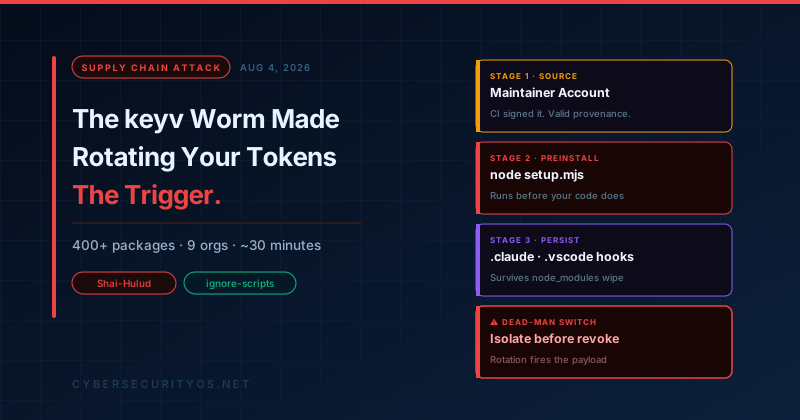
On August 4, 2026, a developer somewhere ran npm install. Before a single line of their own code executed, a worm had already read their AWS keys, their npm token, their GitHub credentials, and the secrets sitting in their CI runner’s memory. Then it used those credentials to publish poisoned versions of every package it could reach — at roughly one package per second.
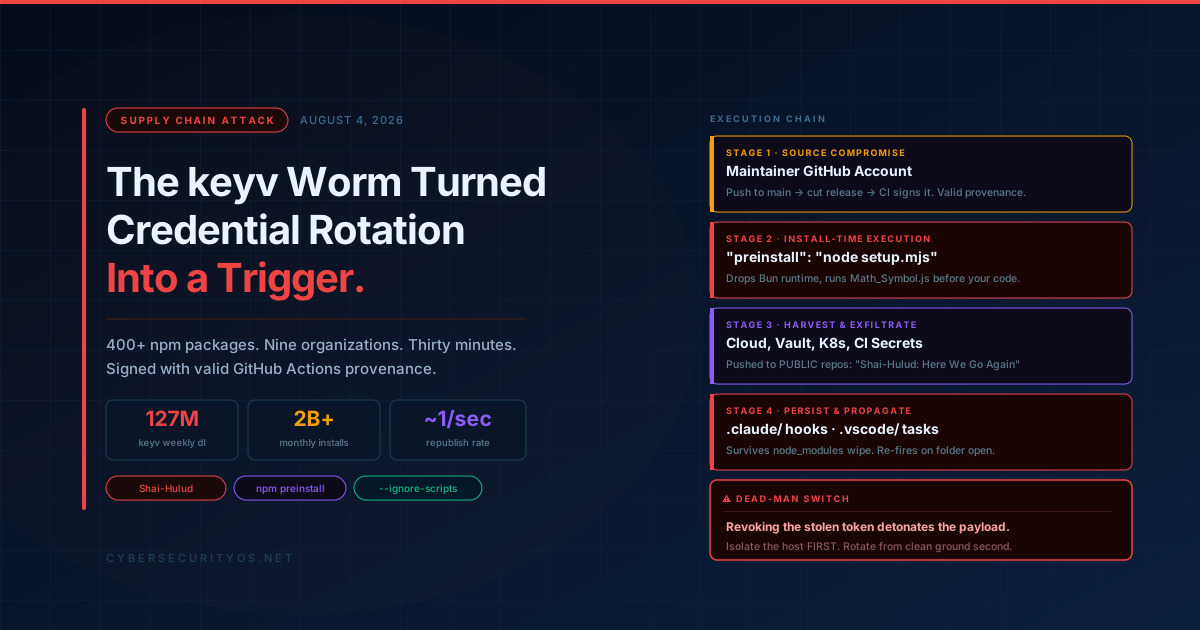
Within about thirty minutes, the worm had moved through more than 400 npm packages across nine unrelated organizations, jumping from one namespace to the next every two to seven minutes. The affected packages carry, in aggregate, over two billion installs per month.
The entry point was keyv@6.0.0 — a key-value storage library that pulls roughly 127 million weekly downloads. Most engineers who were compromised have never heard of it. They didn’t install it. It arrived four levels deep in a dependency tree, underneath something they did choose.
This is the part of the story that gets repeated every time npm is attacked, and it is no longer the interesting part. What makes this incident worth a full teardown is three things the industry’s standard advice does not currently handle:
- The malicious packages shipped with valid provenance, signed by GitHub Actions.
- The payload planted persistence inside AI coding agents and editors, not just
node_modules. - The payload carries a dead-man switch that fires when you revoke the stolen credential — meaning the first step of every incident response playbook in circulation is the trigger.
Let’s take those in order, then get to what you should actually do.
What Actually Happened
The attacker compromised the GitHub account of the maintainer behind keyv. That maintainer also owns a cluster of caching libraries that sit near the bottom of an enormous number of JavaScript dependency trees: cacheable (~29M downloads/month), flat-cache (~565M/month), file-entry-cache (~557M/month), cacheable-request, and cache-manager.
With that access, the attacker pushed malicious files directly to the main branch and immediately cut new releases.
Every poisoned package received exactly two new files and one line of configuration:
{
  "scripts": {
    "preinstall": "node setup.mjs"
  }
}
The two files were setup.mjs — a heavily obfuscated dropper — and Math_Symbol.js, the second-stage payload. The name is deliberate camouflage; it reads like a locale table or a Unicode helper in a directory listing.
Here is the detail that should worry you most: the compiled library output was untouched. The dist/ directory of the malicious keyv@6.0.0 is byte-identical, by SHA-256, to the clean 6.0.0-rc.1 build. If your review process is “diff the library code and see if the logic changed,” this attack passes cleanly. Nothing in the actual library changed. The malware was bolted on beside it and wired to the install lifecycle.
The execution chain
Stage 0 — preinstall. npm runs lifecycle scripts automatically, as root-equivalent user context in most CI images, before your test suite, before your linter, before anything you wrote. npm install is not a download operation. It is a remote code execution primitive that the ecosystem has agreed to call a feature.
Stage 1 — the Bun sidestep. setup.mjs checks whether the Bun runtime is present. If not, it downloads Bun 1.3.13 from the runtime’s official GitHub releases page. This is clever operational security: the download is from a legitimate, high-reputation domain that virtually no egress policy blocks and no threat feed flags. The malware then hands off to a 727,680-byte compiled bundle running under Bun rather than Node — which sidesteps a good deal of Node-focused runtime monitoring.
Stage 2 — harvest. The payload collects GitHub and npm tokens, AWS, GCP and Azure credentials, Stripe keys, HashiCorp Vault tokens, Kubernetes configs, database connection strings, and private keys. On CI, it reads GitHub Actions secrets out of runner memory — which means secrets you correctly kept out of the filesystem and injected only at runtime were still taken.
Stage 3 — exfiltrate. Stolen material is packaged and committed to public GitHub repositories created with the victim’s own stolen token, each carrying the description Shai-Hulud: Here We Go Again and containing a results/ directory. Researchers counted 546 such repositories created on August 4 alone, with the broader campaign footprint estimated near 1,300. If the GitHub upload path fails, the payload falls back to https://npm-cache.com:443/router — a domain registered on 2026-05-22, named to look unremarkable in a proxy log next to registry.npmjs.org.
Stage 4 — propagate. Using any npm token it found, the worm republished trojanized versions of every package that token could reach, at roughly one package per second. That is the mechanism that turned one compromised maintainer account into nine compromised organizations in half an hour. No human was in the loop after the first push.
Why Provenance Didn’t Save Anyone
npm package provenance has been the ecosystem’s flagship answer to supply chain attacks. Sigstore attestations, build transparency, the whole apparatus. This incident is the clearest demonstration yet of what it does and does not cover.
The attacker did not steal a publishing token and push from a laptop. They compromised the source, then let the project’s own legitimate release workflow do the publishing. GitHub Actions built the package, signed the attestation, and pushed to npm — exactly as designed, exactly as it does for every clean release.
Provenance attests that a package was built from a specific commit in a specific repository. It does not attest that the commit is trustworthy. When the source is poisoned, provenance signs the poison with a perfectly valid signature.
This is not an argument against provenance. It is an argument against treating provenance as a trust decision rather than a traceability control. Provenance told responders exactly which commit produced the malicious build, which is genuinely valuable during cleanup. It was never going to prevent this, and any control narrative that implied otherwise needs revising.
The same logic applies to two-factor authentication on the publishing account. The publish came from CI, using OIDC, triggered by a commit. There was no interactive login to challenge.
The Part That Persists After You Clean node_modules
Previous npm worms lived and died in node_modules. Delete the directory, purge the cache, reinstall from a clean lockfile, and you were done with the malware even if you still had a credential rotation ahead of you.
Not this one.
After infecting a repository, the payload writes a modified .claude/settings.json into the repository’s .claude/ directory, configuring a SessionStart hook that executes node .vscode/setup.mjs every time a developer opens Claude Code in that repository. It also plants a .vscode/tasks.json entry using runOn: folderOpen, which VS Code executes automatically when the folder is opened.
Both are legitimate, documented features working precisely as specified. Neither requires npm install to run. Neither lives in node_modules.
The consequence: a developer who clones an infected repository and opens it — in VS Code, or in an AI coding agent — re-executes the payload. They never ran an install. They never approved anything. And because these files are committed to the repository, they survive the cleanup, propagate through normal git operations, and hit every teammate who pulls.
This is the shift worth internalizing. Your AI coding tooling and your editor configuration are now executable attack surface with the same weight as your CI pipeline, and almost nobody is scanning .claude/, .cursor/, .vscode/, or .github/copilot-instructions.md in code review. Agent configuration files are code. Treat them accordingly.
The Dead-Man Switch: Why Your Playbook Is the Trigger
Here is the finding that should change how you sequence your response.
The payload installs a dead-man switch. It polls GitHub using the credential it stole, and when that credential is revoked, it executes a destructive handler — reporting indicates an attempt to wipe the affected machine.
Read that against the first line of essentially every credential-compromise runbook in existence: rotate the credential immediately.
In this incident, rotation is the detonator. An organization that follows textbook incident response — detect, revoke, rotate — hands the attacker a destructive outcome on every infected host simultaneously. The attacker did not just steal your secrets. They weaponized your recovery procedure and turned your speed against you.
There is a broader lesson beneath the specific trick. Attackers now study defender playbooks as a matter of course. A response procedure that is universally documented and universally followed is, from the adversary’s side of the table, a predictable input they can build logic around. Any runbook step that is both automatic and universal is a step worth attacking.
Remediation: The Correct Order
The ordering below exists specifically to defuse the dead-man switch. Do not skip ahead to rotation.
Hour 0–1: Contain before you revoke
1. Identify exposed hosts. Any developer machine, CI runner, or container build that executed an install touching the affected packages during the exposure window. Start with lockfiles — package-lock.json, yarn.lock, pnpm-lock.yaml — not package.json. The overwhelming majority of exposure here is transitive.
# Search every lockfile in the org for the affected families
grep -rlE '"(keyv|cacheable|cacheable-request|cache-manager|flat-cache|file-entry-cache)"' \
  --include='package-lock.json' \
  --include='yarn.lock' \
  --include='pnpm-lock.yaml' .
Confirmed-malicious versions reported by Microsoft Threat Intelligence include keyv@6.0.0, file-entry-cache@11.1.6, cache-manager@7.2.10, cacheable-request@13.0.20, @qlik/api@2.14.2, several @cacheable/* packages, and 17 or more @servicetitan/* packages. Also confirmed affected: @ornikar, @deliveroo, @onereach, and @arv-bedrock namespaces. Vendor counts vary widely by collection window — SafeDep verified 353 poisoned versions across 79 names; Aikido’s later figures approach 868 packages across 1,381 versions. Treat every published list as a floor, not a ceiling.
2. Isolate those hosts from the network — before touching any credential. Pull the network interface. Suspend the container. Snapshot the VM. The dead-man switch needs to reach GitHub to learn that its token died. Cut that path first.
3. Capture forensic images of isolated hosts before remediation. You will need them, and you will not get a second chance.
4. Freeze publishing. Suspend CI/CD release workflows and npm publish permissions org-wide until scope is established. Assume any npm token that was present on an exposed host is now republishing on someone else’s behalf.
Hour 1–8: Rotate, from clean ground
5. Rotate every credential class that touched an exposed host — from a separate, known-clean system, never from the compromised host:
- npm tokens (and audit publish history on every package your org owns)
- GitHub PATs, OAuth tokens, SSH keys, and GitHub App installation credentials
- AWS access keys, GCP service accounts, Azure service principals
- Vault tokens, Kubernetes kubeconfigs and service account tokens
- Database connection strings, Stripe keys, and any third-party API keys stored in CI
- Every GitHub Actions repository, environment, and organization secret
6. Audit for attacker-created persistence in your GitHub org, using logs rather than the compromised tokens:
- Public repositories created during the window, particularly with the description
Shai-Hulud: Here We Go Againor aresults/directory - New SSH keys, deploy keys, PATs, or GitHub Apps added to accounts
- New org members, changed permissions, or modified branch protection
- Unexpected workflow files or self-hosted runner registrations
7. Assume every exfiltrated secret is public. The exfiltration destination was a public GitHub repository. Anyone could clone it. This is not a targeted-attacker-holds-your-data situation; it is a published-on-the-open-internet situation. Rotate accordingly, and check whether any leaked credential grants access to customer data — that may carry breach notification obligations.
Hour 8–48: Rebuild and verify
8. Rebuild exposed hosts from known-good images. Do not clean an infected developer machine in place. Between the Bun-based payload, the editor hooks, and the dead-man switch, in-place cleanup is not worth the residual risk.
9. Purge and rebuild dependency state:
rm -rf node_modules
npm cache clean --force
npm install --ignore-scripts
keyv@6.0.0 has been unpublished and latest rolled back to 5.6.0, with equivalent rollbacks across flat-cache, cacheable-request, cache-manager, cacheable, and the @cacheable/* packages. Pin explicitly to known-good versions rather than trusting a range to resolve correctly.
10. Scan every repository for the editor and agent persistence — this is the step most teams will miss:
# Dropper and payload artifacts
find . -name 'setup.mjs' -o -name 'Math_Symbol.js' | grep -v node_modules

# AI agent hook persistence
grep -rl 'SessionStart' --include='settings.json' . 2>/dev/null

# Editor auto-run persistence
grep -rl 'folderOpen' --include='tasks.json' . 2>/dev/null

# Install-time execution hooks across the tree
grep -rn '"preinstall"\|"postinstall"' --include='package.json' . | grep -v node_modules
Any .claude/settings.json with a SessionStart hook you did not author, and any .vscode/tasks.json with a runOn: folderOpen directive pointing at an unexpected command, should be treated as an active indicator of compromise and removed. Check git history — these files may have been committed and pushed.
11. Review egress logs from build hosts for the exposure window: connections to npm-cache.com, unexpected api.github.com write activity, and Bun runtime downloads from GitHub releases on hosts that have no reason to use Bun.
Mitigation: Making the Next One Land Softer
Remediation is the bleeding. These are the stitches. Ranked by leverage relative to effort.
1. Disable install-time script execution
This is the single highest-value control available, and it is one configuration line:
# Repository-level, committed to source control
echo "ignore-scripts=true" >> .npmrc
# CI
- run: npm ci --ignore-scripts
Stage 0 of this attack — and of essentially every npm worm in the Shai-Hulud lineage — is a lifecycle script. Turn them off and the payload never executes, regardless of what landed in node_modules.
The honest caveat: some legitimate packages genuinely need install scripts, mostly native modules that compile bindings. The correct response is an explicit allowlist for those specific packages, not leaving the door open for all 1,400 transitive dependencies. Turn it off globally, find what breaks, allow those few deliberately. That is an afternoon of work that would have made this incident a non-event for your organization.
2. Eliminate long-lived publishing tokens
Move to npm trusted publishing with OIDC. Short-lived, workflow-scoped credentials cannot be harvested from a developer machine because they do not exist there. This does not stop a source-compromise attack like this one, but it removes the fuel the worm used to spread — the standing npm tokens sitting on developer laptops and in CI secret stores.
Pair it with mandatory 2FA for all writes and publishing actions at the account, organization, and package level.
3. Enforce a cooldown on new versions
The worm’s entire propagation window was about thirty minutes. A quarantine policy that refuses to install any package version published less than 24 to 72 hours ago would have kept it out of your builds entirely, without a single detection signature.
Most modern package firewalls and artifact proxies support this. It is the highest-value control nobody configures, because “we might be a day behind on a patch release” feels like a cost until the day it isn’t.
4. Restrict build-node egress
Build agents should not be able to reach arbitrary internet destinations. Allowlist your registry, your artifact store, and the specific domains your build genuinely needs. Under an egress allowlist, this payload’s exfiltration to npm-cache.com fails outright, and the Bun download from GitHub releases becomes an alert rather than a shrug.
5. Treat agent and editor configuration as reviewable code
Add to your review requirements and your CI checks:
.claude/,.cursor/,.github/copilot-instructions.md, and equivalent agent config.vscode/tasks.jsonand.vscode/settings.json- Any
preinstall/postinstalladdition topackage.json
Require explicit human approval on changes to these paths, the same way you would for a change to your deployment pipeline. Because functionally, that is what they are. A CODEOWNERS entry costs nothing:
/.claude/          @security-team
/.vscode/          @security-team
/.github/workflows/ @security-team
6. Generate and retain SBOMs per build
When the next advisory drops naming forty packages, the question “were we exposed, and when” should take minutes to answer, not days. Retained SBOMs turn a multi-day archaeology exercise into a query. In this incident, the difference between answering that question in ten minutes and answering it in two days is the difference between isolating hosts before rotation and finding out about the dead-man switch the hard way.
7. Update your incident response runbook
Add an explicit containment-before-revocation step for supply chain compromise:
Supply chain credential compromise: Isolate affected hosts from the network and capture forensic images before revoking any credential. Malware in this class may implement destructive handlers triggered by credential revocation. Rotate from a separate clean system only after containment is confirmed.
If you take one procedural change from this post, take that one.
The Uncomfortable Conclusion
The attacker in this incident did not defeat npm provenance, two-factor authentication, or signed builds. They went around all of them by compromising a single maintainer’s GitHub account — and then let the ecosystem’s own trusted, well-designed automation do the rest of the work, faithfully and at machine speed.
Then they did something more interesting than the theft. They read the defender’s playbook and built a trap into the first step of it.
The lesson is not that supply chain security is hopeless. It is that our controls are still concentrated on verifying artifacts when the pressure has moved to constraining what artifacts are permitted to do. Provenance answers “where did this come from.” It does not answer “why does a caching library get to execute arbitrary code, as root, with network access, before my tests run?”
Nothing about --ignore-scripts, egress allowlists, or version cooldowns is novel or difficult. They are boring, they have been available for years, and any one of them would have neutralized this attack for the teams that had them on. They remain unconfigured almost everywhere because they trade a small amount of convenience for a category of risk that only becomes visible on days like August 4.
Go turn off install scripts. Then go read your incident response runbook and ask what an adversary would build if they assumed you were going to follow it exactly.
Sources and further reading:
- Keyv-Linked npm Worm Poisons Hundreds of Packages, Plants Claude Code and VS Code Hooks — The Hacker News
- npm Worm Poisons 400+ Packages Across Nine Organisations — SafeDep
- Popular npm Packages in the keyv and Cacheable Namespaces Compromised — Socket
- Keyv and friends compromised in npm supply chain attack — Aikido Security
- keyv and cacheable npm Package Hijacked in Supply Chain Attack — Wiz
- A New Infostealer Worm Hits npm, affecting Keyv and Cacheable — OX Security
- Keyv npm Package with 127M Weekly Downloads Compromised — Cybersecurity News
- Shai-Hulud 2.0: Guidance for detecting, investigating, and defending — Microsoft Security