Posts
Building a Secure DevSecOps Pipeline: Deploying to Amazon ECR with GitHub Actions and Trivy
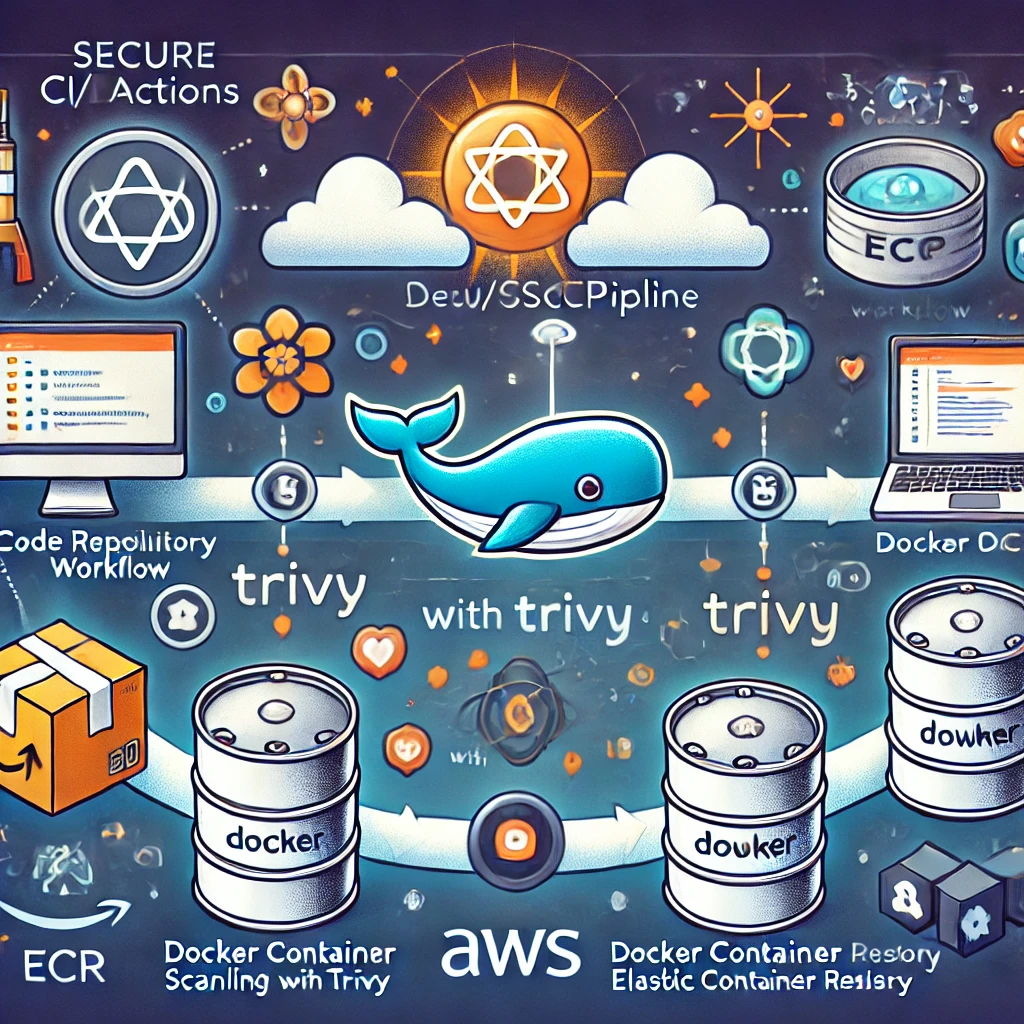
In today’s rapidly evolving tech landscape, incorporating security into every step of the development lifecycle is essential. DevSecOps ensures that security is baked into the process, not bolted on afterward.
This blog post will walk you through setting up a secure CI/CD pipeline to deploy a container image to Amazon Elastic Container Registry (ECR) using GitHub Actions, with vulnerability scanning using Trivy.
By the end of this guide, you’ll have a secure, automated workflow that builds, scans, and pushes your container images to ECR.
Why DevSecOps?
Traditional development pipelines often treat security as an afterthought. This approach leads to costly fixes and vulnerabilities slipping into production. With DevSecOps:
- Security is integrated: Vulnerabilities are caught early in the CI/CD pipeline.
- Automation ensures consistency: Tools like Trivy automatically enforce security standards.
- Developers and security teams collaborate: Security becomes a shared responsibility.
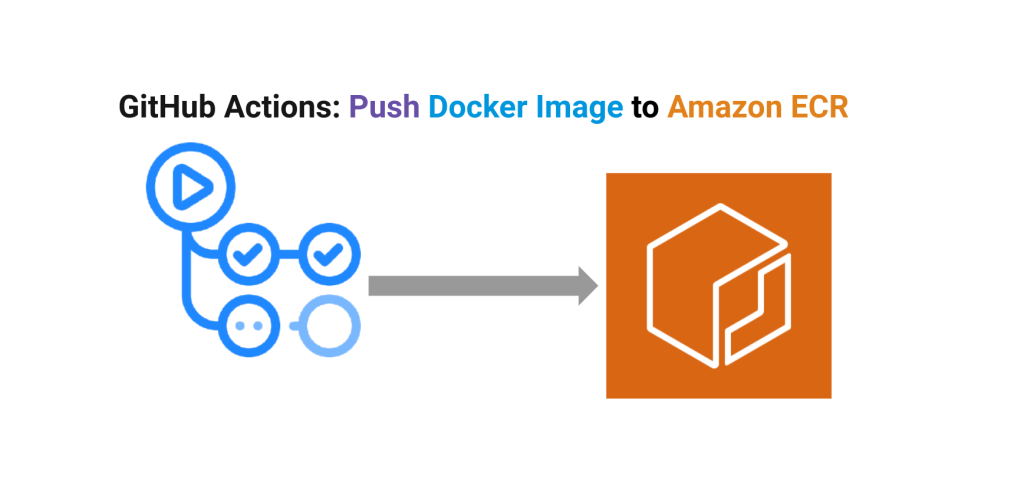
Setting Up the Pipeline
We’ll create a GitHub Actions workflow with the following steps:
- Checkout the repository.
- Configure AWS credentials for ECR access.
- Build the Docker image.
- Scan the Docker image with Trivy.
- Push the image to Amazon ECR if it passes the security scan.
Prerequisites
- An AWS account with permissions to access ECR.
- A GitHub repository.
- Docker installed locally for testing (optional).
Step 1: Configuring AWS and ECR
Before setting up the GitHub Actions workflow:
- Create an ECR repository in your AWS Management Console.
Here is a awscli command that you can use to create an ecr repo…
first you need to set your environment variables
export AWS_ACCESS_KEY_ID=<YOUR_ACCESS_KEY_ID>

export AWS_SECRET_ACCESS_KEY=<YOUR_SECRET_ACCESS_KEY>
To create a repository in the ECR from the AWS CLI On a machine that has the AWS CLI configured, enter the following to create the repository:
For example:
aws ecr create-repository --region eu-west-1 --repository-name node-repo
If everything goes well, you should see an output like this:
{
    "repository": {
        "repositoryArn": "arn:aws:ecr:eu-west-1:XXXXXXXXXX:repository/test",
        "registryId": "790783553687",
        "repositoryName": "test",
        "repositoryUri": "XXXXXXXXXX.dkr.ecr.eu-west-1.amazonaws.com/test",
        "createdAt": "2022-09-28T14:01:20+01:00",
        "imageTagMutability": "MUTABLE",
        "imageScanningConfiguration": {
            "scanOnPush": false
        },
        "encryptionConfiguration": {
            "encryptionType": "AES256"
        }
    }
}
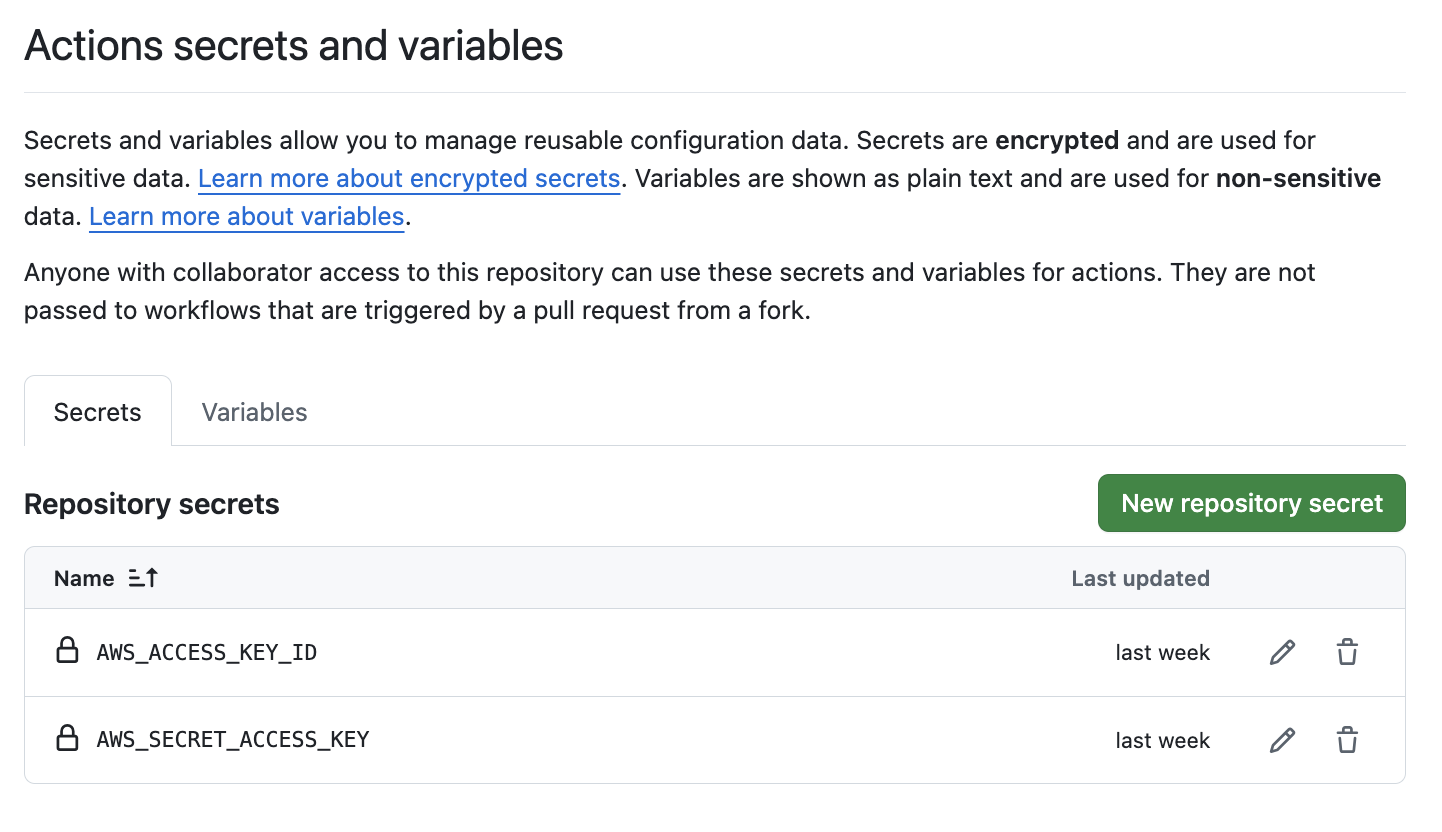
- Store your AWS credentials (
AWS_ACCESS_KEY_IDandAWS_SECRET_ACCESS_KEY) as secrets in your GitHub repository:- Go to Settings > Secrets and Variables > Actions > New repository secret.
- Add the credentials with names
AWS_ACCESS_KEY_IDandAWS_SECRET_ACCESS_KEY.
Step 2: Writing the GitHub Actions Workflow
Create a workflow file in your GitHub repository: .github/workflows/deploy-to-ecr.yml.
Here’s the complete workflow:
name: "Build and Deploy to ECR with Trivy Scanning"

on:
  push:
    branches:
      - main
  pull_request:

jobs:
  BuildAndPushImageToECR:
    runs-on: ubuntu-latest

    steps:
      - name: Checkout Code
        uses: actions/checkout@v3

      - name: Configure AWS Credentials
        uses: aws-actions/configure-aws-credentials@v2
        with:
          aws-access-key-id: ${{ secrets.AWS_ACCESS_KEY_ID }}
          aws-secret-access-key: ${{ secrets.AWS_SECRET_ACCESS_KEY }}
          aws-region: us-west-1 # Adjust to your region

      - name: Login to Amazon ECR
        id: login-ecr
        uses: aws-actions/amazon-ecr-login@v2

      - name: Build Docker Image
        id: build-image
        env:
          ECR_REGISTRY: ${{ steps.login-ecr.outputs.registry }}
          ECR_REPOSITORY: "my-app-repo"
          IMAGE_TAG: "latest"
        run: |
          docker build -t $ECR_REGISTRY/$ECR_REPOSITORY:$IMAGE_TAG .
          echo "::set-output name=image::$ECR_REGISTRY/$ECR_REPOSITORY:$IMAGE_TAG"

      - name: Scan Docker Image with Trivy
        env:
          ECR_REGISTRY: ${{ steps.login-ecr.outputs.registry }}
          ECR_REPOSITORY: "my-app-repo"
          IMAGE_TAG: "latest"
        run: |
          docker pull $ECR_REGISTRY/$ECR_REPOSITORY:$IMAGE_TAG || true
          docker run --rm -v /var/run/docker.sock:/var/run/docker.sock \
          aquasec/trivy:latest image --severity HIGH,CRITICAL \
          $ECR_REGISTRY/$ECR_REPOSITORY:$IMAGE_TAG

      - name: Push Image to Amazon ECR
        env:
          ECR_REGISTRY: ${{ steps.login-ecr.outputs.registry }}
          ECR_REPOSITORY: "my-app-repo"
          IMAGE_TAG: "latest"
        run: |
          docker push $ECR_REGISTRY/$ECR_REPOSITORY:$IMAGE_TAG
Step 3: How It Works
Step-by-Step Breakdown
- Checkout Code: The
actions/checkoutstep fetches the latest code from your repository. - Configure AWS Credentials: The
aws-actions/configure-aws-credentialsstep sets up AWS access using the stored secrets. - Login to Amazon ECR: The
amazon-ecr-loginaction authenticates Docker with your ECR registry. - Build Docker Image: This step builds your Docker image and tags it for ECR.
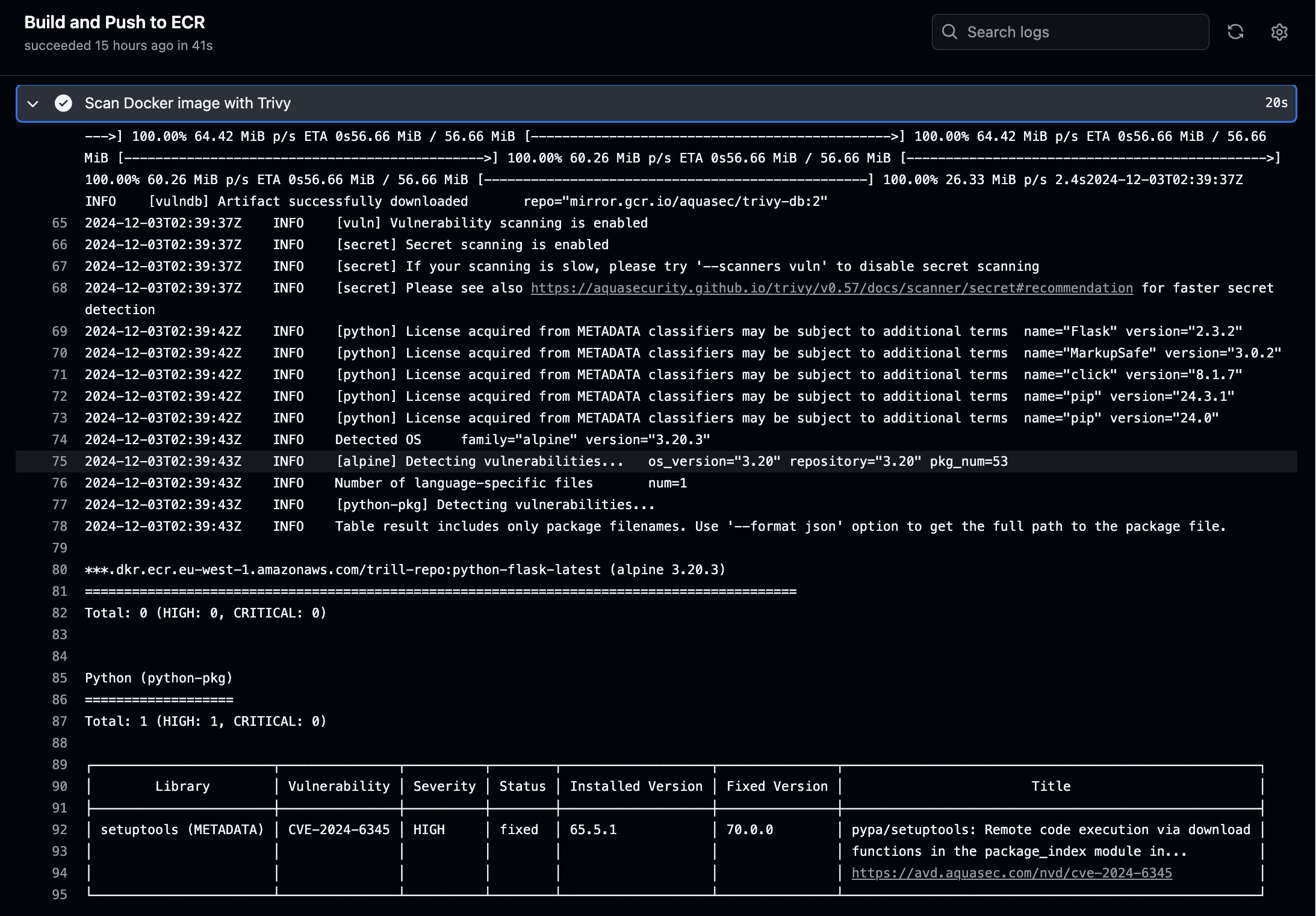
- Scan with Trivy: The image is scanned for vulnerabilities. The pipeline will fail if high or critical issues are found.
- Push to ECR: If the scan passes, the image is pushed to ECR.
Here is what the Trivy Output looks like:
Step 4: Demo
Running the Workflow
- Commit the
.github/workflows/deploy-to-ecr.ymlfile to your repository. - Push changes to the
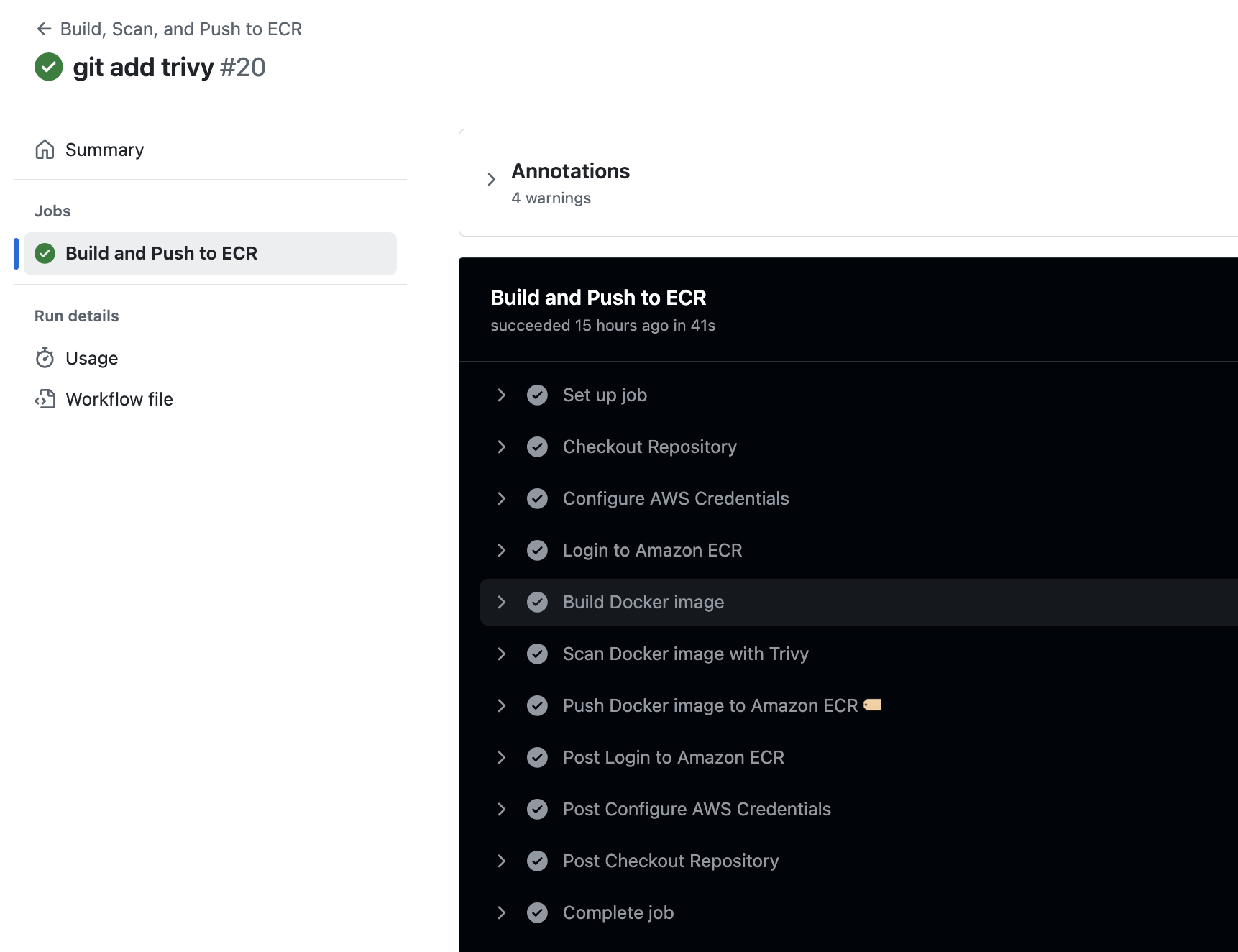
mainbranch or open a pull request. - Monitor the workflow progress in the Actions tab of your repository.
If vulnerabilities are detected, the pipeline will fail at the Trivy scanning step, providing detailed output of the issues.
Wrapping Up
This secure DevSecOps pipeline demonstrates how to integrate security checks with GitHub Actions using Trivy, ensuring vulnerabilities are caught early. By automating the build, scan, and deploy process, your team can deliver secure containerized applications with confidence.
Start integrating security into your pipeline today, and embrace the principles of DevSecOps for a safer development lifecycle.
Further Reading
GitHub Actions Documentation
Learn the basics and advanced features of GitHub Actions.Amazon ECR Documentation
Understand how to use Amazon Elastic Container Registry (ECR) for managing Docker container images.Trivy Documentation
Official documentation for Trivy, an open-source vulnerability scanner.Introduction to DevSecOps
Explore the principles and practices of integrating security into DevOps workflows.Docker Documentation
Comprehensive guide to Docker, including containerization concepts and commands.Best Practices for Building a CI/CD Pipeline
Learn how to create robust CI/CD pipelines with security and scalability in mind.OWASP Dependency-Check
Another tool for vulnerability detection in project dependencies.
Thanks for reading,
Michael
If you enjoy the content, then consider buying me a coffee.
P.S. Stay updated on the latest cybersecurity trends and best practices by subscribing to our newsletter or leaving your thoughts in the comments below! Visit CyberSHIELD