Posts
Pylint Power-Up: Automated Code Quality Checks for GitHub Projects

Pylint is a powerful tool for analyzing Python code to ensure it follows coding standards and best practices. Integrating Pylint into your GitHub repository as part of your CI/CD pipeline helps maintain clean, readable, and error-free code. Here’s a quick guide on how to configure Pylint in GitHub using GitHub Actions.
- GitHub Repo Source: d0uble3l. GitHub*
Set Up a GitHub Action for Pylint
Create a .github/workflows directory in the root of your repository if it doesn’t exist.
mkdir -p .github/workflows
Create a YAML file for the Pylint action, e.g., pylint.yml:
name: Pylint Linting

on:
  pull_request:
  push:
    branches:
      - main

jobs:
  lint:
    runs-on: ubuntu-latest

    steps:
    - name: Checkout code
      uses: actions/checkout@v2

    - name: Set up Python
      uses: actions/setup-python@v2
      with:
        python-version: '3.x'

    - name: Install dependencies
      run: |
        python -m pip install --upgrade pip
        pip install pylint

    - name: Run Pylint
      run: pylint **/*.py
Step 2: Commit and Push
Once you’ve created the YAML file, commit and push it to your repository:
git add .github/workflows/pylint.yml
git commit -m "Add Pylint GitHub Action"
git push origin main
Step 3: Monitor the Workflow
Now, every time you push or open a pull request, GitHub Actions will automatically run Pylint. You can view the results under the “Actions” tab in your GitHub repository.
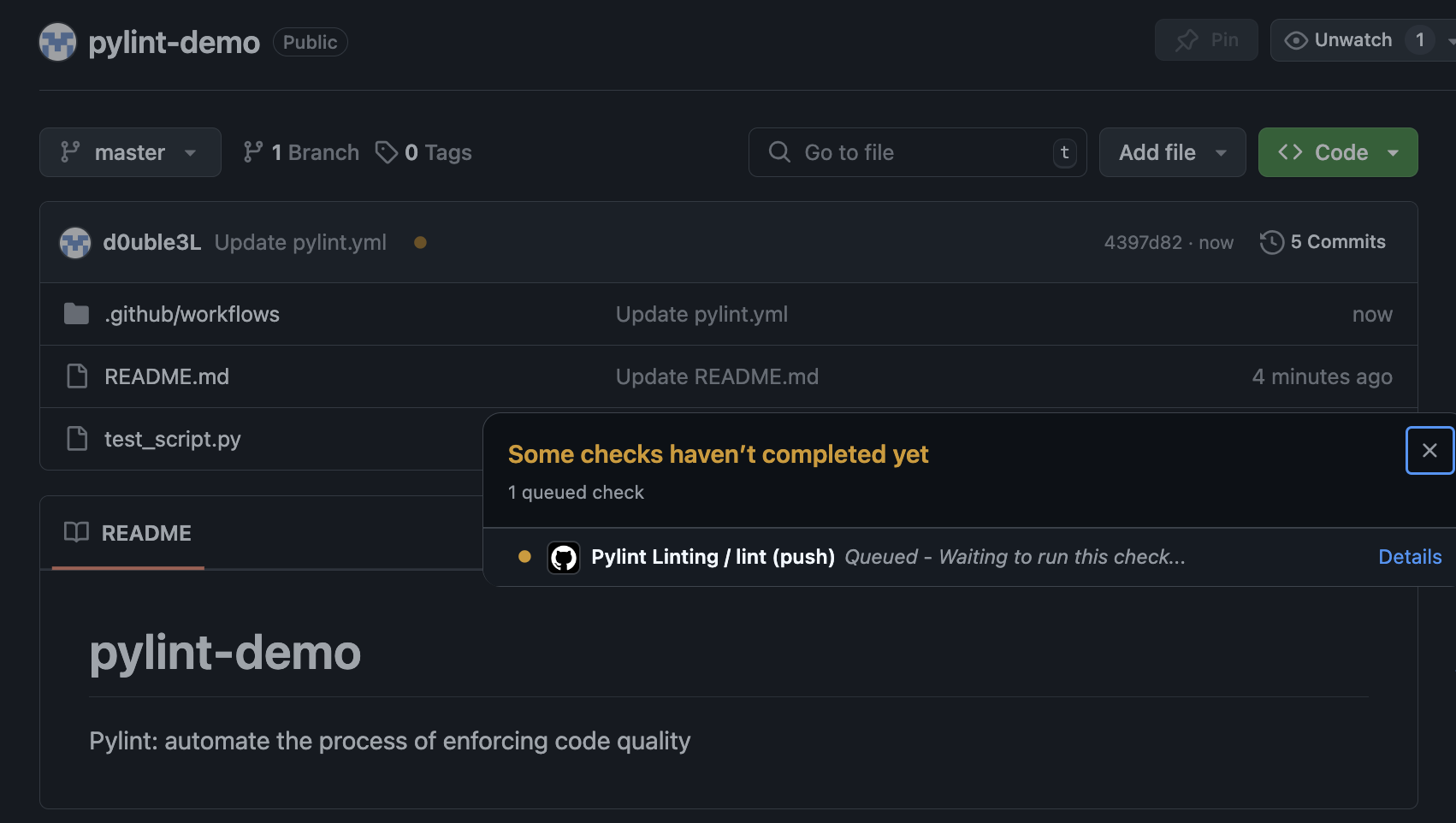
Image Source: d0uble3l. GitHub
DEMO
Here’s a simple Python script with a few intentional Pylint warnings and style issues that you can use to test your Pylint configuration:
# test_script.py

def add_numbers(a, b):
    # Variable name 'sum' is a built-in function, better to avoid
    sum = a + b
    return sum

def greet(name):
    # Missing function docstring (Pylint warning)
    print(f"Hello {name}")

if __name__ == "__main__":
    result = add_numbers(5, 3)
    greet("Michael")
    print(result)  # This will print the sum
Issues in the Script
Variable naming: Using sum as a variable name will trigger a Pylint warning because sum is a built-in Python function.
Missing docstring: The greet function is missing a docstring, which will trigger a warning for code documentation.
Formatting: Depending on your Pylint settings, the script may raise warnings about code formatting (line lengths, spacing, etc.).
You can run Pylint on this file using:
pylint test_script.py
This will give you a summary of code quality issues and suggestions on how to improve the script.
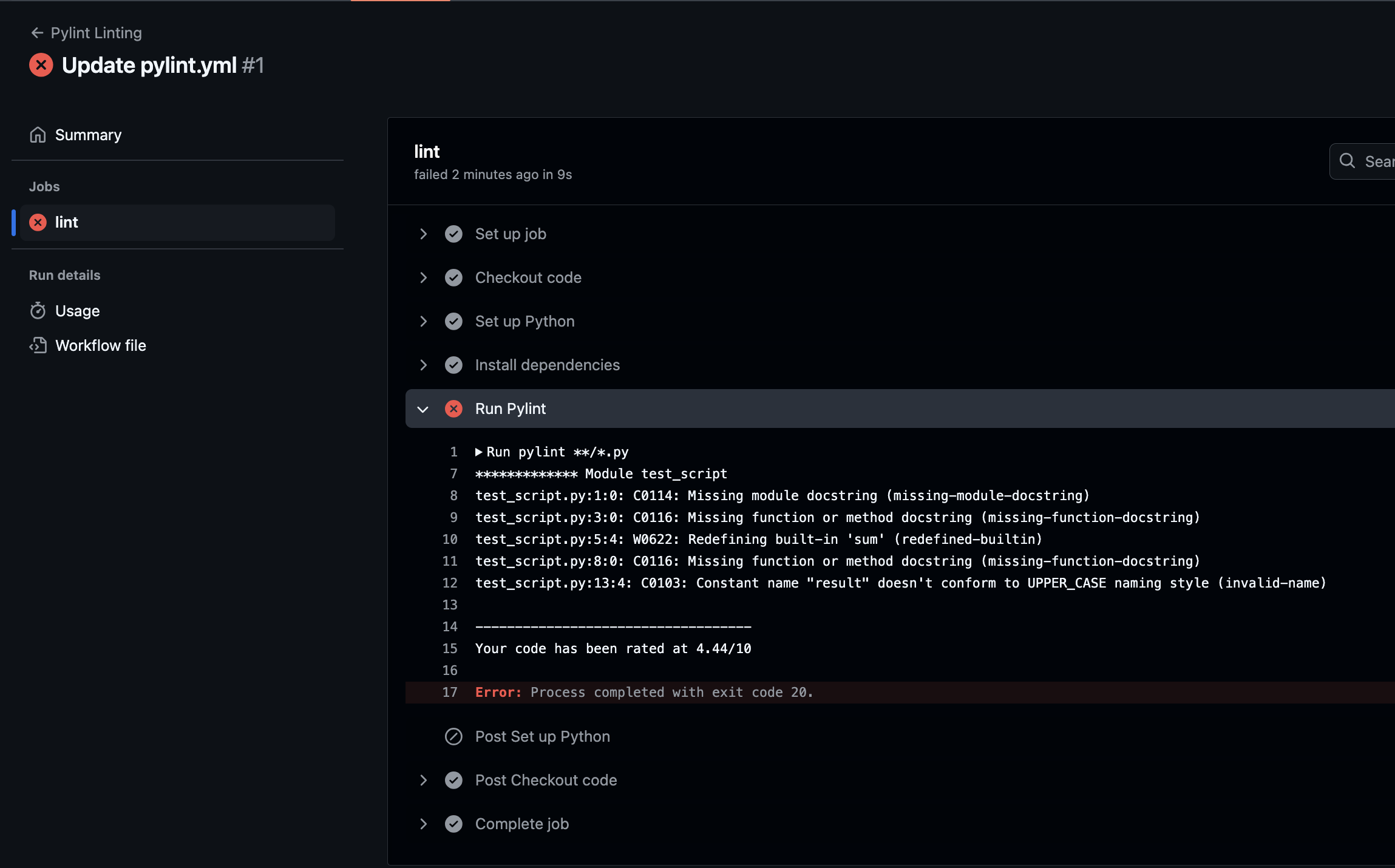
Image Source: d0uble3l. GitHub
Conclusion
By setting up Pylint in your GitHub repository, you automate the process of enforcing code quality. This helps catch bugs early and maintain a clean, professional codebase!
Thanks for reading,
Michael
If you enjoy the content, then consider buying me a coffee.
P.S. Stay updated on the latest cybersecurity trends and best practices by subscribing to our newsletter or leaving your thoughts in the comments below! Visit CyberSHIELD