Posts
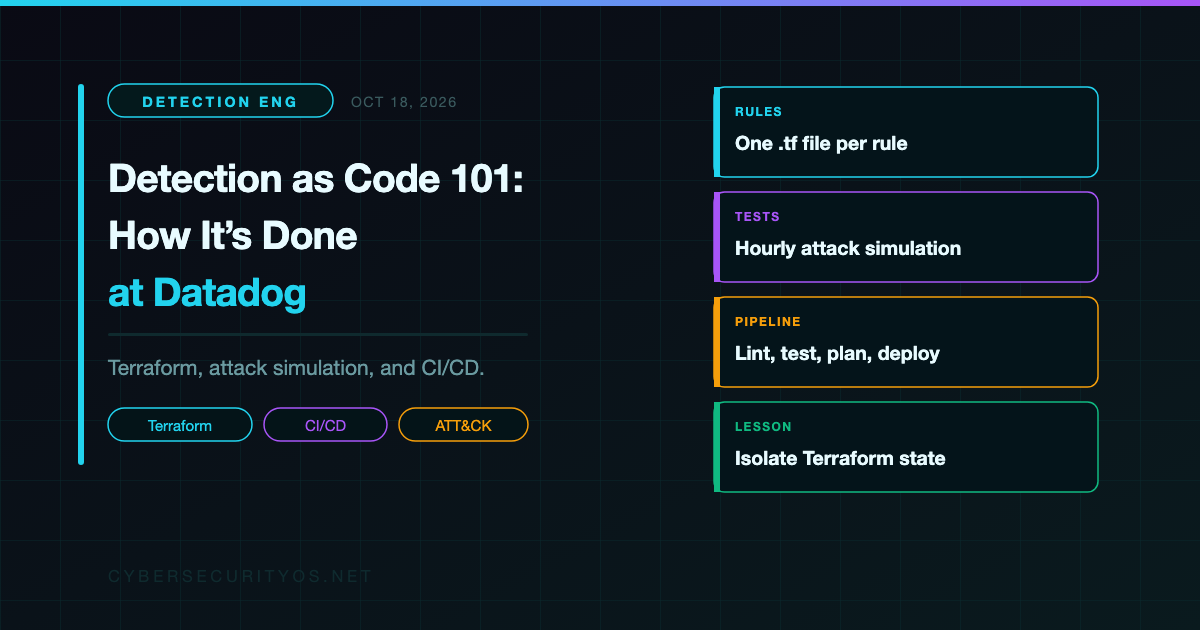
Detection as Code 101: How It's Done at Datadog
It’s Friday afternoon. Someone tunes a noisy rule directly in the SIEM console, saves it, and logs off. Monday morning the queue is either flooded with alerts or eerily quiet, and nobody can say what changed, who changed it, or how to put it back.
That’s the problem in one scene: click-ops detection doesn’t scale. Detection as code is how mature teams fix it. This post breaks down one of the clearest public examples, Datadog’s Threat Detection team, as described by Christine Le and Christopher Camacho in How we use Datadog for detection as code (Datadog, October 11, 2024). The tooling is Datadog’s. The ideas carry over to any SIEM, and I’ll show how after each section.
What Is Detection as Code?
Detection as code (DaC) means applying software engineering practices to detection rules and response runbooks: version control, peer review, automated testing, and CI/CD.
The analogy: DaC is to detections what infrastructure as code is to servers. Nobody serious hand-builds production servers anymore. The same logic applies to the rules that decide what your responders see.
In practice, a rule stops being a record in a console and becomes a file in a Git repository. Changes go through pull requests. A pipeline tests and deploys them. That solves three problems:
- A single source of truth. Version control gives every change an author, a timestamp, and a reason. If a rule breaks, you can see what changed and roll it back.
- Consistent review and testing. Every rule passes the same checks before it can alert a responder.
- Maintenance at scale. Bulk edits and multi-environment deploys become a commit, not an afternoon of clicking.
Inside Datadog’s Setup
Rules as Terraform
Datadog’s team writes every rule in Terraform, an infrastructure-as-code tool where you declare what should exist and it makes the target system match, using the Datadog provider.
Each rule gets its own .tf file. Rules are grouped by data source (aap, azure, cws, github, k8s), and each data source has a reusable config.tf module for shared settings.
Here’s their “Kubernetes - Failed attempts to access secrets” rule, simplified for illustration (not Datadog’s exact code):
# Simplified for illustration
resource "datadog_security_monitoring_rule" "k8s_failed_secrets_access" {
  name    = "Kubernetes - Failed attempts to access secrets"
  message = "Repeated forbidden attempts to list or get Kubernetes secrets."
  enabled = true

  query {
    name            = "forbidden_secrets_access"
    query           = "source:kubernetes.audit @objectRef.resource:secrets @verb:(list OR get) @http.status_code:403"
    aggregation     = "count"
    group_by_fields = ["@objectRef.namespace", "@cluster_name", "@usr.id"]
  }

  case {
    name      = "Multiple forbidden secrets requests"
    status    = "low"
    condition = "forbidden_secrets_access > 1"
  }

  options {
    evaluation_window   = 300 # seconds of logs evaluated together
    keep_alive          = 600 # keep the signal open while activity continues
    max_signal_duration = 900 # hard cap on how long one signal stays open
  }
}
Read it top to bottom and the rule explains itself: what to look for, how to group it, when to fire, and how loud. That readability is the point. A reviewer can reason about this diff in a pull request.
On any SIEM: Splunk, Sentinel, Elastic, and Chronicle all expose rules through an API, and some have Terraform providers. If yours doesn’t, export rules to files anyway and treat the repo as the source of truth. For portability across platforms, write in Sigma, a vendor-neutral rule format that converts to most SIEM query languages.
Repo Layout
Datadog’s post describes a structure along these lines (simplified):
detection-rules/
├── rules/
│   ├── aap/
│   ├── azure/
│   ├── cws/
│   ├── github/
│   └── k8s/
│       ├── config.tf
│       └── failed_secrets_access.tf
├── organizations/
│   ├── prod/
│   │   └── k8s/
│   │       ├── backend.tf
│   │       └── main.tf
│   └── staging/
│       └── k8s/
│           ├── backend.tf
│           └── main.tf
├── tests/
└── .gitlab-ci.yml
rules/ defines what a detection is. organizations/ decides where it runs. Each org and data source pair has a backend.tf, which tells Terraform where to store its state, and a main.tf, which lists the rules to deploy and can disable specific ones in that org. One rule definition can ship to staging first and production later without being copied.
On any SIEM: Separate “what the rule is” from “where it runs.” Even a simple YAML file per environment listing enabled rule IDs gives you staged rollouts and per-environment exceptions.
Suppressions: Permanent in Code, Break-Glass in the UI
Suppressions silence known-benign activity. Datadog splits them by lifespan.
Long-lived suppressions are Terraform resources in the same file as the rule they modify, so the exception is reviewed and versioned with the logic it changes. Short-lived ones, like a maintenance window, are created in the UI. Responders can also disable a misbehaving rule with one click.
That break-glass path matters. At 3 a.m. during an alert storm, nobody should need a pull request to stop the bleeding.
On any SIEM: Keep permanent allowlists and exclusions in the repo next to the rule. Allow temporary UI suppressions, but give them an expiry and fold anything that outlives it back into code.
Proving Rules Fire: Attack Simulation
Linting proves a rule is valid. It doesn’t prove the rule catches anything. Datadog runs end-to-end tests every hour through an internal service built on two open-source projects: Stratus Red Team, which emulates attacker techniques in cloud environments, and Threatest, a framework for testing that detections fire.
The key concept is the detonator: the component that performs the malicious-looking action. In their example, a command runs touch ~/.ssh/authorized_keys, a common persistence technique, and the test expects a matching signal within 10 minutes.
If no signal arrives, a detection engineer gets alerted. Either logging broke (the data never arrived) or the rule broke (the logic no longer matches). You want to find both before an attacker does.
On any SIEM: Atomic Red Team and Stratus Red Team both work as detonators regardless of SIEM. Start with a scheduled job that runs one technique and queries your SIEM’s API for the expected alert.
The Pipeline
Their GitLab CI pipeline runs six stages:
| Stage | What it does | Why it matters |
|---|---|---|
.pre | Collects pipeline telemetry | You can monitor the pipeline itself |
lint | Checks syntax and enforces required tags | Bad syntax and missing metadata never reach review |
test | Spins up a sandbox, sends synthetic logs, applies, destroys | Logic is exercised against data before production |
check | Identifies impacted orgs and modules | Only what changed gets planned and deployed |
plan | Runs terraform plan per org on feature branches | Reviewers see exactly what will change |
deploy | Applies on merge, re-applies on a schedule, exports ATT&CK coverage | Production matches main, drift is corrected, coverage stays current |
Two terms to pin down. Drift is when the live system no longer matches the code, usually because someone edited a rule in the UI. Scheduled re-applies pull production back to what the repo says. ATT&CK Navigator is MITRE’s open-source tool for visualizing which adversary techniques you cover. Generating its input in the pipeline turns coverage from a spreadsheet chore into a build artifact.
On any SIEM: GitHub Actions, GitLab CI, or Azure DevOps can run the same stages. The minimum viable pipeline is lint on every PR and deploy on merge. Add the rest as you mature.
The Detection Engineer’s Workflow
- Explore the data in log search to learn what normal and malicious look like.
- Test the query against sample logs or a Stratus Red Team attack.
- Build the rule in the UI, where iteration is fast.
- Export it as Terraform.
- Open a pull request. The pipeline lints, tests, and plans, and a teammate reviews.
- Merge, and the pipeline deploys.
- Verify that signals fire as expected.
Notice step 3. DaC doesn’t mean writing every rule blind in a text editor. The UI is a fine authoring tool. It just isn’t the source of truth.
On any SIEM: Draft in the console, then commit. The rule that matters is the one in the repo.
Five Lessons Worth Stealing
1. Isolate your state. Terraform records what it deployed in a state file. Datadog originally used one state file for everything, so a single failed apply blocked every other change. They moved to isolated state per rule set per org. Whatever your tooling, don’t let one broken rule freeze the whole program.
2. Test before you deploy, and keep testing after. Sandbox tests catch bad logic before merge. Scheduled attack simulation catches silent failures after, when a log source or parser changes.
3. Reconcile drift on a schedule. People will edit in the UI. Plan for it. A scheduled apply either reverts the change or surfaces it so the code gets updated.
4. Keep a break-glass path. Make the safe change easy and the emergency change possible. Then fold emergency changes back into code.
5. Map coverage to ATT&CK automatically. Required technique tags plus generated Navigator output gives you a coverage view nobody has to maintain by hand.
One note: Datadog’s post doesn’t publish metrics on alert volume or time saved, so I won’t invent any. The case for DaC here rests on the architecture, not on a headline number.
From the Field
I work in regulated financial services, and this is where DaC pays for itself in a way that’s easy to miss.
Detection rules are security controls. Auditors and regulators expect controls to be documented, reviewed, tested, and changed through a managed process. SOC 2 asks for change management evidence. Examiners ask how you know a control works and who approved the last change to it.
In a click-ops world, answering those questions means screenshots, ticket archaeology, and hoping someone remembers. With DaC, the evidence already exists. The pull request shows the change, the reviewer, the approval, and the timestamp. The pipeline log shows the tests that ran. Attack simulation results show the control works. The commit history becomes your change log.
That’s the pitch I’d make to any security leader: DaC isn’t only an engineering improvement. It turns audit prep from a scramble into a query.
Your 30-Day DaC Starter Plan
For a small team on any SIEM:
Week 1: Get rules into a repo.
- Export existing rules through your SIEM’s API, export tool, or IaC provider.
- Commit them as-is. Don’t refactor yet.
- Agree that the repo is the source of truth from now on.
Week 2: Add linting and PR review.
- Turn on branch protection so nothing merges without a review.
- Add a lint job for syntax and required metadata: owner, severity, ATT&CK technique.
Week 3: Add one attack-simulation test.
- Pick one high-value rule.
- Write a test that runs one Atomic Red Team or Stratus Red Team technique and checks for the alert.
- Schedule it and route failures to a human.
Week 4: Automate deploys and drift checks.
- Deploy on merge through the API or IaC.
- Add a scheduled job that compares production to the repo and flags differences.
- Generate a first ATT&CK Navigator layer from your tags.
That’s a working DaC foundation in a month. Everything else is iteration.
The Career Angle
Git, Terraform, CI/CD, and ATT&CK mapping are what separate detection engineers from alert triagers. Hiring managers look for them because they signal someone who can build and maintain a detection program, not just work its queue. If you’re early in your career, a small public DaC repo with Sigma rules, tests, and a pipeline is one of the strongest portfolio projects you can ship.
The Takeaway
Detection as code is becoming table stakes for the same reason infrastructure as code did: once a system matters, you can’t manage it by hand. Datadog’s setup isn’t magic. It’s version control, review, testing, and automated deploys, applied consistently to the rules that decide what your responders see. Your tools will differ. The discipline transfers.
Get the next breakdown in your inbox. Subscribe to the CybersecurityOS newsletter for weekly practitioner breakdowns like this one.
Tell us how your team does it. Join the CybersecurityOS Telegram community and share how you manage detections today: Git, console, or somewhere in between.